ZED X Mini + Jetson Orin NX: 30 Days of Silent Failures
I spent a month trying every combination of boards, cables, and JetPack versions to get a ZED X Mini stereo camera running on Jetson. Here's the full story — what failed, why, and the one stack that actually works.
I bought a ZED X Mini for a robotics project. Stereolabs says "connect to Jetson, install SDK, done."
It took me 30 days to get a single frame.
Not because I'm slow — because the failure mode is silence. No error messages. No crash logs. The camera simply doesn't exist. You plug it in, run the commands, and get... nothing.
This post is everything I learned in that month so nobody else has to repeat it.
The Answer (If You Just Want the Solution)
| Component | Version |
|---|---|
| Board | Waveshare Orin NX (22-pin CSI native) |
| JetPack | 6.2.1 (L4T 36.4.0) |
| ZED SDK | 5.2.1 |
| ZED Link | 1.4.0-L4T36.4.0 |
Installation steps:
# 1. Install ZED Link driver (GMSL2 deserializer)
chmod +x ZED_Link_Driver_L4T36.4.0_v1.4.0.run
sudo ./ZED_Link_Driver_L4T36.4.0_v1.4.0.run
sudo reboot

# 2. Install ZED SDK
chmod +x ZED_SDK_Tegra_L4T36.4_v5.2.1.zstd.run
./ZED_SDK_Tegra_L4T36.4_v5.2.1.zstd.run

# 3. Verify camera
/usr/local/zed/tools/ZED_Explorer
Download the
.runinstallers from Stereolabs matching your JetPack version. This is NOTapt install.
If you're seeing live depth video right now — congratulations, you're done. Close this tab.
If not, keep reading. I've been where you are.
Why This Is Confusing
The ZED X Mini uses GMSL2 (Gigabit Multimedia Serial Link), not USB. This means:
- It connects through the CSI connector on the Jetson carrier board
- The carrier board needs a GMSL2 deserializer chip
- The deserializer talks to the Jetson over I2C bus 9
Here's the critical thing nobody tells you: not all CSI connectors are the same.
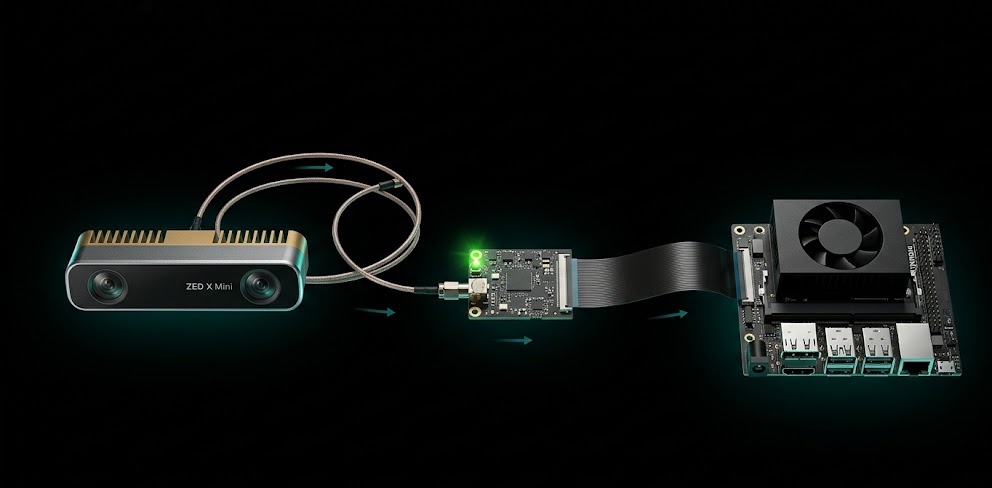
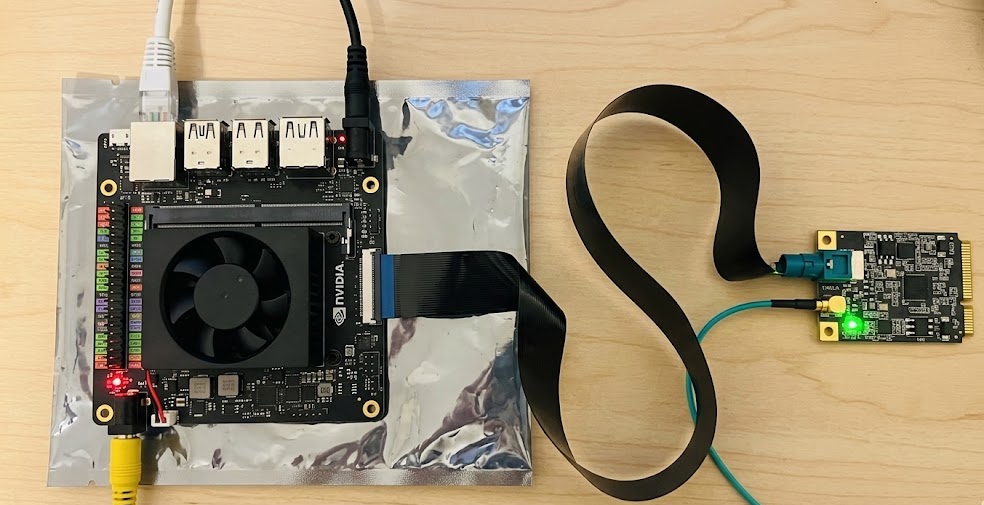
And here's what the real hardware connection looks like — the GMSL2 capture card sits between the camera and the Jetson board, connected via FFC ribbon cable:
Week 1-2: The Adapter Trap
My first board was the Seeed reComputer J4012. Great board — 15-pin CSI port, compact, well-documented.
The ZED X Mini has a 22-pin connector. So I ordered a 22→15 pin adapter cable. It fits. Physically, everything looks correct.
sudo i2cdetect -y -r 9
     0  1  2  3  4  5  6  7  8  9  a  b  c  d  e  f
00:                         -- -- -- -- -- -- -- --
10: -- -- -- -- -- -- -- -- -- -- -- -- -- -- -- --
20: -- -- -- -- -- -- -- -- -- -- -- -- -- -- -- --
30: -- -- -- -- -- -- -- -- -- -- -- -- -- -- -- --
40: -- -- -- -- -- -- -- -- -- -- -- -- -- -- -- --
50: -- -- -- -- -- -- -- -- -- -- -- -- -- -- -- --
60: -- -- -- -- -- -- -- -- -- -- -- -- -- -- -- --
70: -- -- -- -- -- -- -- --
All dashes. The camera doesn't exist on the bus.
I tried:
- 3 different adapter cables
- Reseating the connector (multiple times, with magnifying glass)
- Different I2C bus numbers (0 through 30)
- Kernel device tree modifications
Nothing.
The problem isn't the pin count. The 15-pin CSI connector on the reComputer routes different signals than what the GMSL2 deserializer expects. An adapter changes the physical shape but cannot remap the electrical signals.
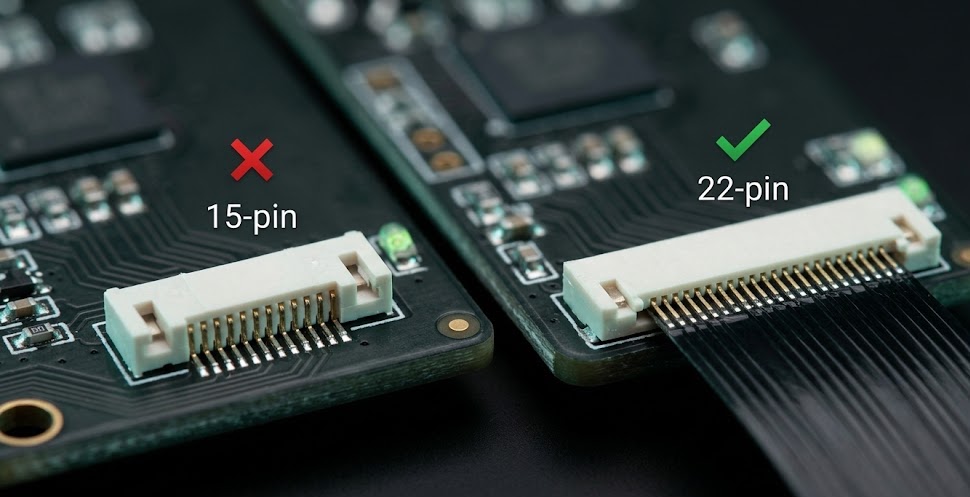
Think of it like this: you can get a Lightning-to-USB-C adapter, but you can't get a "remap PCIe lanes to I2C" adapter. The protocols are fundamentally different paths on the silicon.
Week 3: The JetPack Maze
With a new 22-pin board (Waveshare Orin NX) in hand, I hit the next wall: which JetPack version?
Stereolabs forums, NVIDIA forums, Reddit threads — everyone has a different answer:
| Source | Claim |
|---|---|
| Forum post (2025) | "Only works with JetPack 6.1" |
| Stereolabs docs | "Requires JetPack 6.x" |
| Reddit user | "I got it working on 6.2.0" |
| My experience | Only 6.2.1 actually works |
JetPack 6.1 wouldn't even flash successfully on my hardware. JetPack 6.2.0 flashed fine but ZED Link wouldn't install properly — dependency conflicts with the L4T version.
The ZED SDK itself was another headache. You download .run installers from Stereolabs, but if the SDK version doesn't exactly match your L4T version, the install either fails outright or silently can't find the camera. Error messages vary wildly:
[ZED SDK] Dependency error: L4T version mismatch
[ZED Link] Kernel module build failed: incompatible kernel headers
I installed SDK 5.2.0, it conflicted with ZED Link 1.4.0. Downgraded to SDK 5.1.x, then CUDA version mismatch. Change one layer and another breaks.
JetPack 6.2.1 is the one where everything aligns: the L4T kernel version (36.4.0) matches what ZED Link expects, ZED SDK 5.2.1 installs cleanly, the GMSL2 driver loads correctly, and i2cdetect finally shows something.
Week 4: It Works
After flashing JetPack 6.2.1 on the Waveshare board:
sudo i2cdetect -y -r 9
     0  1  2  3  4  5  6  7  8  9  a  b  c  d  e  f
00:                         -- -- -- -- -- -- -- --
10: -- -- -- -- -- -- -- -- -- -- -- -- -- -- -- --
20: -- -- -- -- -- -- -- -- -- -- -- -- -- 2d -- --
30: UU -- -- -- -- -- -- -- -- -- -- -- -- -- -- --
40: -- -- -- -- -- -- -- -- -- -- -- -- -- -- -- --
50: -- -- -- -- -- -- -- -- -- -- -- -- -- -- -- --
60: -- -- -- -- -- -- -- -- -- -- -- -- -- -- -- --
70: -- -- -- -- -- -- -- --
Addresses visible. 0x2d and 0x30 (UU) — that's the GMSL2 deserializer. The camera exists on the bus.
Install:
# ZED Link driver (GMSL2)
chmod +x ZED_Link_Driver_L4T36.4.0_v1.4.0.run
sudo ./ZED_Link_Driver_L4T36.4.0_v1.4.0.run
sudo reboot

# ZED SDK
chmod +x ZED_SDK_Tegra_L4T36.4_v5.2.1.zstd.run
./ZED_SDK_Tegra_L4T36.4_v5.2.1.zstd.run

# Live camera feed
/usr/local/zed/tools/ZED_Explorer
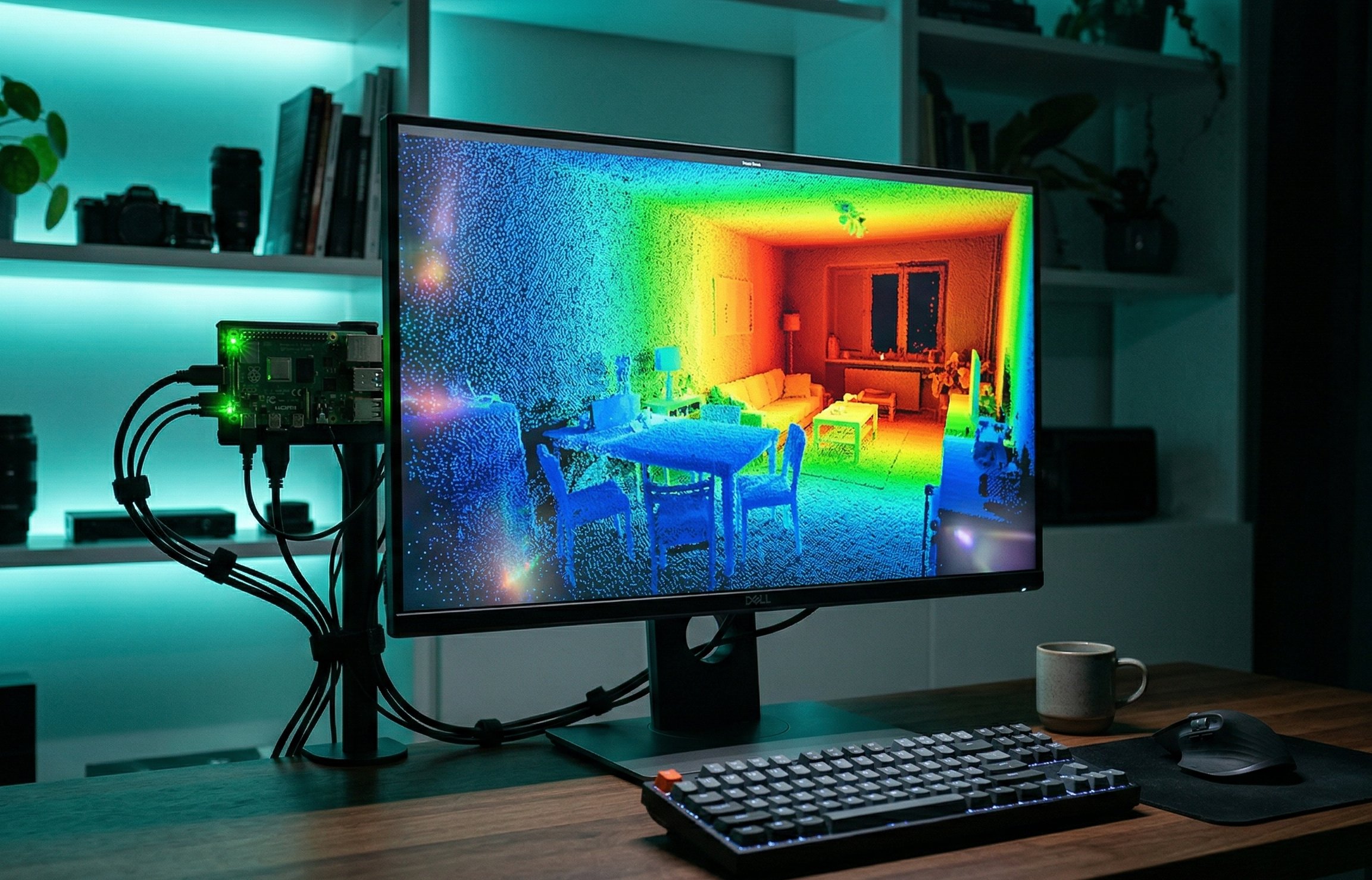
Depth map, point cloud, everything — first try.
The Full Software Stack
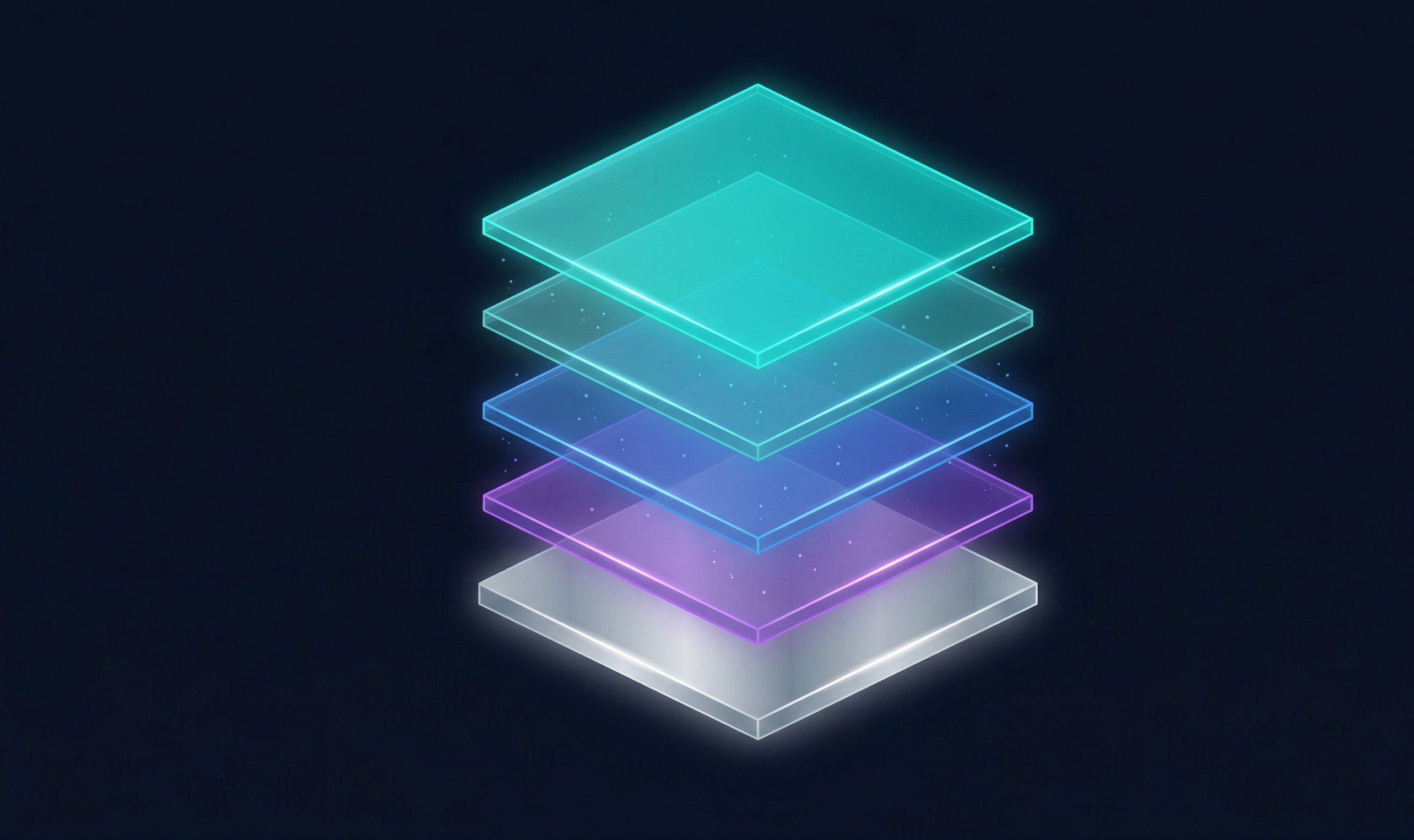
Each layer must match. The version coupling is tight:
- ZED Link is compiled against a specific L4T kernel version
- L4T version is determined by your JetPack version
- ZED SDK requires a specific ZED Link version
If any layer mismatches, the camera silently doesn't exist. No helpful error. Just empty i2cdetect.
Things I Wish I Knew Before Starting
-
The adapter cable is a dead end. If your board has 15-pin CSI, you need a different board. No cable fixes a signal routing mismatch.
-
i2cdetect -y -r 9is your diagnostic tool. Before installing any software, check if the hardware connection works. If bus 9 is empty, don't bother with SDK installation. -
Don't trust forum version recommendations. Flash the latest JetPack that Stereolabs officially supports. As of writing, that's 6.2.1.
-
The Waveshare Orin NX carrier board works. 22-pin CSI with native GMSL2 deserializer. Direct connection, no adapter needed.
-
Flashing JetPack takes ~45 minutes each time. When you're on your 4th reflash, this adds up. Get the right version first.
My Hardware Setup
| Item | What I Used |
|---|---|
| Camera | ZED X Mini (stereo, GMSL2) |
| Compute Module | NVIDIA Jetson Orin NX 16GB |
| Carrier Board | Waveshare Orin NX carrier (22-pin CSI) |
| Cable | 22-pin GMSL2 cable (included with ZED X) |
| Power | 19V DC barrel jack |
| Flash Tool | NVIDIA SDK Manager on Ubuntu 22.04 host |
Total time from unboxing to working depth feed: 30 days (should have been 30 minutes).
Real hardware notes from a robotics project. Learned the hard way so you don't have to. — Henry
No affiliation with Stereolabs or NVIDIA.

Henry — Robot Education Founder
Engineer dedicated to democratizing robot education for everyone. From hardware bring-up to AI integration, I document real learning.
Comments
Loading comments...