Client-Side AI: Running Small Models Directly in the Browser
Why send data to the cloud when you can process it locally? How WebGPU and WebAssembly are turning the browser into a high-performance AI inference engine.
Introduction
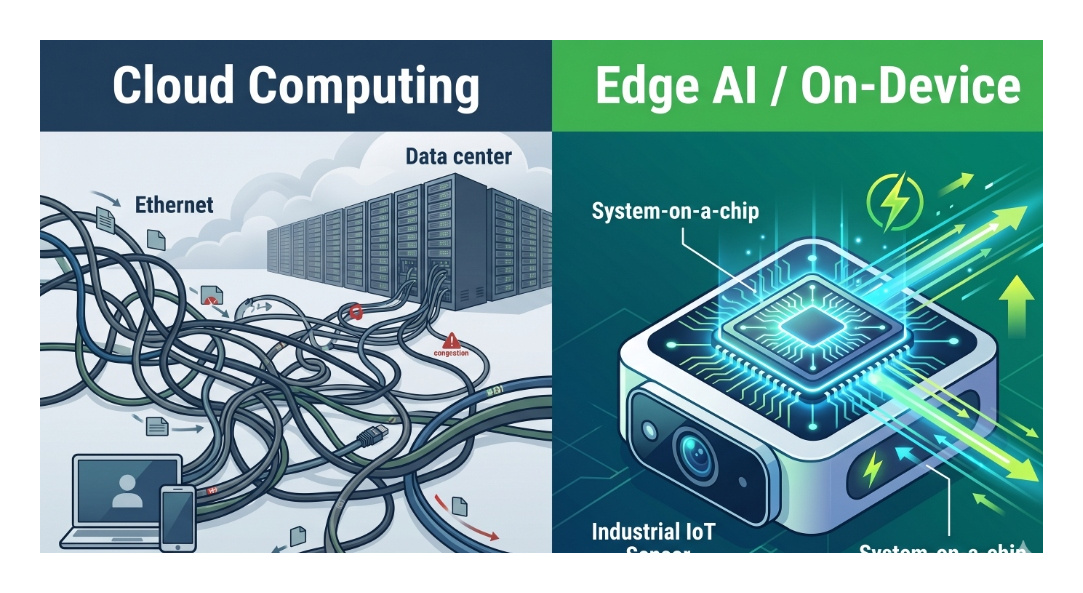
For the past few years, the standard architecture for an AI application has been simple: The frontend sends text/images to a proprietary API (like OpenAI), the cloud does the heavy lifting, and the frontend displays the result.
But this architecture has three massive problems: Latency, Cost, and Privacy.
In 2026, the solution is Client-Side AI. Thanks to massive leaps in browser technology, we are running SLMs (Small Language Models) and vision models directly on the user's device.
The Enablers: WebGPU and WebAssembly (WASM)
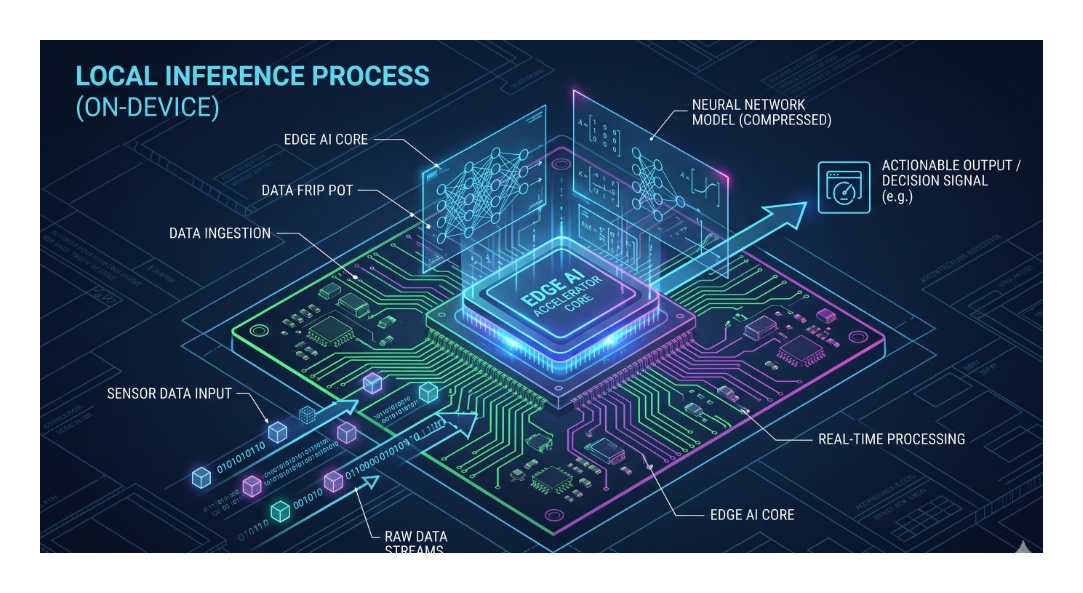
You can't run a 7-billion parameter model using standard Javascript; it would freeze the browser. Client-side AI relies on two core Web APIs:
- WebAssembly (WASM): Allows languages like C++ and Rust to run in the browser at near-native speeds. This is crucial for the mathematical operations required by ML models.
- WebGPU: The true game-changer. WebGPU gives the browser direct access to the user's local graphics card (GPU). It is significantly faster and more capable than the older WebGL standard, allowing for massive parallel processing.
The Rise of In-Browser Models
Libraries like Transformers.js (by Hugging Face) and MediaPipe (by Google) allow developers to import models directly into the frontend code.
import { pipeline } from '@xenova/transformers';

// This downloads a small model to the user's browser cache
// and runs completely locally without API calls!
const classifier = await pipeline('sentiment-analysis');
const result = await classifier('The frontend is evolving so fast!');
// [{ label: 'POSITIVE', score: 0.99 }]
Why Client-Side AI is a Frontend Superpower
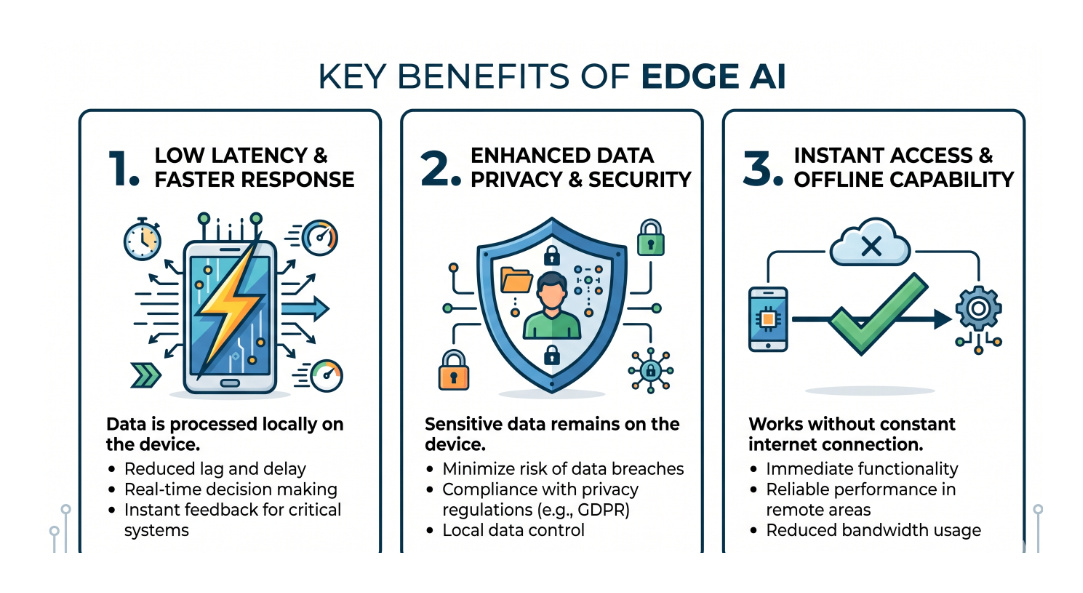
- Zero Latency: Once the model is cached in the browser, inference happens in milliseconds. There is no network routing, no server queuing, and no rate limits.
- Absolute Privacy: Are you building a medical app that analyzes a photo of a rash? If you send that to a cloud API, you face massive HIPAA compliance hurdles. If the model runs in the browser, the image never leaves the user's phone.
- Zero Inference Cost: You don't have to pay OpenAI $0.01 per token if the user is computing the result using the battery of their own iPhone.
Limitations and the "Hybrid" Future
Client-side AI isn't replacing cloud AI. You cannot run GPT-4 in a Chrome tab. The future is Hybrid Inference.
The browser handles small, immediate tasks: live syntax highlighting, sentiment analysis of a text input, tracking a hand gesture via the webcam, or semantic search over a small local dataset. When the user asks a complex reasoning question, the frontend hands the query off to the massive cloud-based LLD.
Summary
The browser is no longer just a document viewer; it is a distributed compute node. By bringing AI inference directly to the client, frontend engineers are building applications that are faster, cheaper, and fundamentally more private than ever before.
In our next session, we’ll look at how we are replacing traditional web forms with Conversational Interfaces.

Henry — Robot Education Founder
Engineer dedicated to democratizing robot education for everyone. From hardware bring-up to AI integration, I document real learning.
Comments
Loading comments...